
Most date mistakes are not really math mistakes. They are calendar mistakes. Someone assumes every month has 30 days, or forgets that October has 31, or counts the starting day as day one and lands a day early on a deadline that mattered. The arithmetic itself is simple addition. What makes it tricky is that the calendar keeps changing the size of the container you are adding into.
The reliable way to add days to a date is to work month by month: use up the days left in the current month first, then walk through whole months, then land in the final month. It takes a few seconds longer than guessing, and unlike guessing it is right every time, including across year boundaries and leap years.
The month-by-month method
- Write down how many days are left in your start month after the start date. November has 30 days, so from November 10 there are 20 days left in November (November 30 minus November 10).
- If the number you are adding is smaller than that, you are done: just add it inside the same month.
- If it is bigger, subtract the days left in the month. You are now standing on the last day of the month, and the rest of your count continues into the next month.
- Keep subtracting whole month lengths (31, 30, 31, and so on) until the remaining count fits inside one month.
- Add whatever is left to the first of that final month. The date you land on is your answer, and its weekday moves forward by the same number of days, so a count divisible by 7 always lands on the same weekday.
One convention matters before you start: the standard method does not count the start date itself. Adding 1 day to Tuesday, November 10, 2026 gives Wednesday, November 11, 2026. Nearly every calculator, spreadsheet and court rule works this way, and every example below follows it.
Example 1: adding 45 days across a month boundary
What date is 45 days after Tuesday, November 10, 2026? November has 30 days, so there are 20 days left in November after the 10th. Subtract: 45 minus 20 leaves 25, and you are standing on November 30. December has 31 days, and 25 fits inside it, so count 25 days into December. The answer is Friday, December 25, 2026 - Christmas Day, which is a good reminder that plain day counts do not care about holidays at all. If the date you are calculating is a deadline or a delivery promise, that last check matters, and our guide to business days vs calendar days explains when weekends and holidays get skipped instead.
Example 2: adding 90 days across three months
Now a longer count: 90 days after Tuesday, March 3, 2026. March has 31 days, so 28 days remain after March 3. Subtract: 90 minus 28 leaves 62, standing on March 31. April has 30 days: 62 minus 30 leaves 32, standing on April 30. May has 31 days: 32 minus 31 leaves 1, standing on May 31. One more day lands on Monday, June 1, 2026. Notice the pattern: each step is just subtracting the length of the month you are leaving. Three subtractions, no calendar app, and the answer matches what any calculator will tell you.
The month lengths you have to know
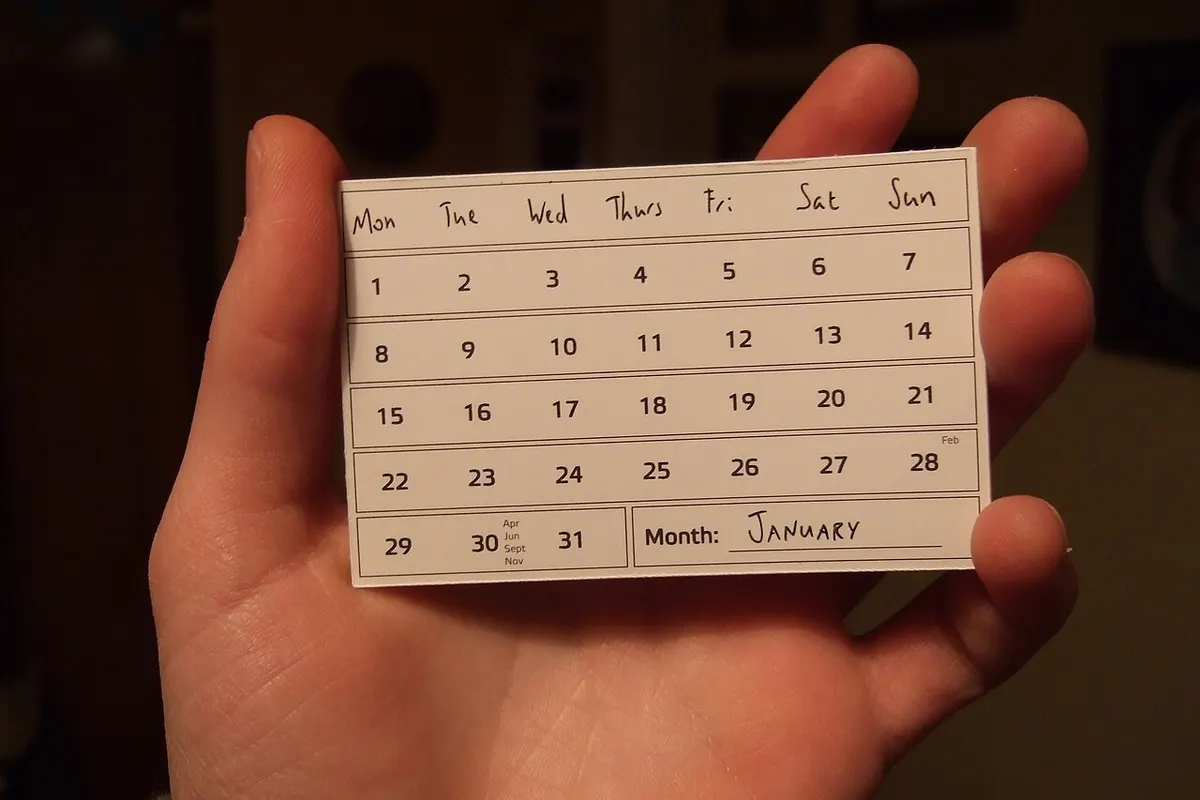
The whole method rests on knowing how long each month is. There are only three facts: April, June, September and November have 30 days; February has 28, or 29 in a leap year; everything else has 31. The old knuckle trick still works - count the months across your knuckles and the gaps between them, knuckles are 31-day months and gaps are 30-day months, with February as the exception you just remember.
| Month | Days | Month | Days |
|---|---|---|---|
| January | 31 | July | 31 |
| February | 28 (29 in a leap year) | August | 31 |
| March | 31 | September | 30 |
| April | 30 | October | 31 |
| May | 31 | November | 30 |
| June | 30 | December | 31 |
February is the only month that ever changes. A year is a leap year if it divides by 4, with a century exception explained in our leap years guide. 2024 was a leap year and 2028 is the next one, so any count that crosses the end of February 2028 picks up an extra day.
Adding weeks is easier than adding days
If your count is given in weeks, convert first: multiply the weeks by 7 and add the days the same way. Weeks have one lovely property that days do not - they always land on the same weekday. Six weeks after Sunday, November 22, 2026 is Sunday, January 3, 2027, guaranteed, because 42 is divisible by 7. That makes week counts the fastest sanity check there is: if your answer lands on a different weekday than your start, the count is wrong somewhere. Our dedicated guide on finding a date weeks from now goes deeper on that trick.
Common mistakes that shift the answer
Three errors account for almost every wrong date. The first is the flat-30 assumption: treating every month as 30 days drifts the answer by a day roughly every other month. The second is counting the start date as day one, which lands you a day early - harmless for a gym reminder, expensive for a filing deadline. The third is forgetting that a result can be correct as a date and useless as a deadline: Saturday, February 20, 2027 is exactly 90 days after November 22, 2026, but almost no office will act on it until Monday. If the date drives something real, run it through the date calculator and then check what weekday it lands on.
Try it the fast way
When the count is long or the deadline matters, the date calculator on this site does the month-by-month walk instantly: enter a start date, add days, weeks, months or years, and get the exact result date with its weekday. And when your question is about clock times rather than calendar dates, the time calculator on the homepage is the right tool for that job.
Frequently asked questions
When I add days to a date, do I count the start date as day one?
The standard method does not count the start date. Adding 1 day to Tuesday, November 10, 2026 gives Wednesday, November 11, 2026, not November 10 itself. Some contracts and legal rules use inclusive counting instead, so if a document matters, check which convention it uses before you rely on the result.
How do I add days to a date in Excel or Google Sheets?
Dates in spreadsheets are stored as numbers, so you can simply add the number of days. If the start date is in cell A1, the formula =A1+45 returns the date 45 days later. Use =A1-45 to go backwards, and =TODAY()+90 to find the date 90 days from today.
What is 30 days from today?
It depends on the day you ask. From Sunday, November 22, 2026, 30 days later is Tuesday, December 22, 2026. The answer changes every day, which is why a calculator or the month-by-month method in this guide beats guessing that a month always has 30 days.
Do weekends count when I add days to a date?
For plain calendar-day math, yes, weekends count like any other day. If a contract, court rule or shipping promise talks about business days instead, weekends and usually holidays are skipped, and the result lands later. The two methods can differ by a week or more on longer periods.
What happens when the count crosses February in a leap year?
February has 29 days instead of 28, so every date after February 29 in a leap year sits one day later than the same count in a normal year. 2028 is the next leap year. If your start date is in January or February of a leap year and you are adding more than about 60 days, remember the extra day.